Case Study 01

Adding ADAS intelligence to older delivery vehicles

Designed a pre-collision notification system for Amazon's delivery fleet — bringing modern safety features to vehicles that shipped without them.

Role
Lead Product Designer
Company
Amazon / Rivian
Duration
8 Months

Thousands of delivery vehicles with zero collision warnings

As lead product designer for safety and innovation on Amazon's last-mile delivery team, I was tasked with designing a pre-collision notification system for a fleet of vehicles that predated modern ADAS features. Drivers operating in dense urban environments had no advance warning when a pedestrian, cyclist, or vehicle entered a collision trajectory.

The technical constraint shaped the entire design challenge: alerts had to render on screens that already existed in the vehicle — specifically the center console tablet that drivers used for routing and delivery tasks. I couldn't add hardware. I couldn't take over the screen. I had to find space within an interface drivers already depended on, placing notifications close to the road view so they'd register in a driver's natural sight line without disrupting their workflow.

This meant redesigning parts of the existing tablet experience to make room for safety information — before I could design the alerts themselves.
Making space for real-time alerts

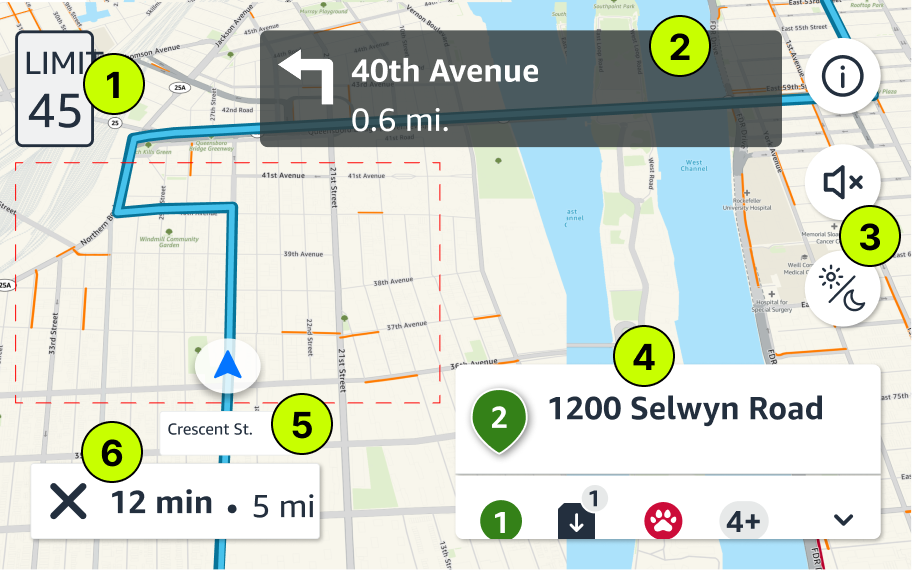
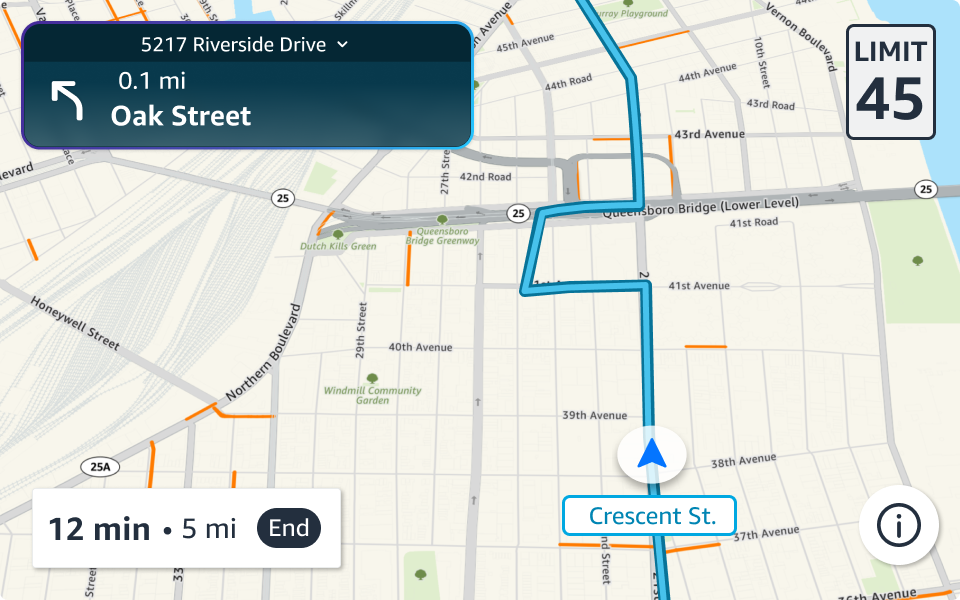
Safety notifications needed to live as close to the road view as possible — that's where a driver's attention already is, and that's where it needs to stay in a critical moment. But the existing tablet UI was cluttered with persistent controls, expanded panels, and misaligned elements that left no room for an alert system. Before I could design the notifications themselves, I had to clean up the screen they'd live on.

Existing tablet layout
Before — existing tablet layout
Redesigned for safety integration
After — redesigned for safety integration
  1. Speed limit sign is oversized and off-center
  2. Turn-by-turn modal is inconsistent with the Rabbit system and misaligned in this view
  3. Action buttons are permanently exposed, even when irrelevant to the current task
  4. Itinerary panel is always visible, consumes space, and stays expanded once opened — crowding out the navigation view
  5. Street view is pinned to the ETA modal, making the whole block feel cluttered and hard to parse
  6. The large X button exits navigation entirely — unintuitive placement on the left side of the screen

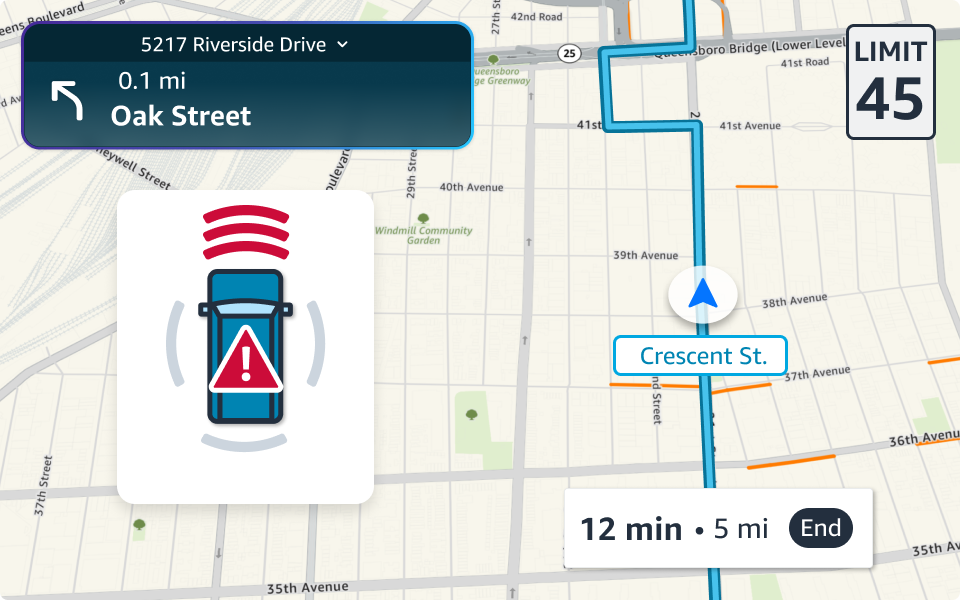
The redesign consolidated controls, collapsed secondary UI, and reclaimed vertical space along the road view — creating a persistent notification zone where safety alerts could render without competing with routing or delivery tasks. Every element that stayed earned its place; everything else moved behind an interaction.


From text to instinct: designing the alert language

With the screen cleaned up and a notification zone in place, the next challenge was the alert itself — how do you communicate a hazard to a driver in a fraction of a second? I explored three directions, testing each with drivers to find the one that required zero interpretation.

Direction 1
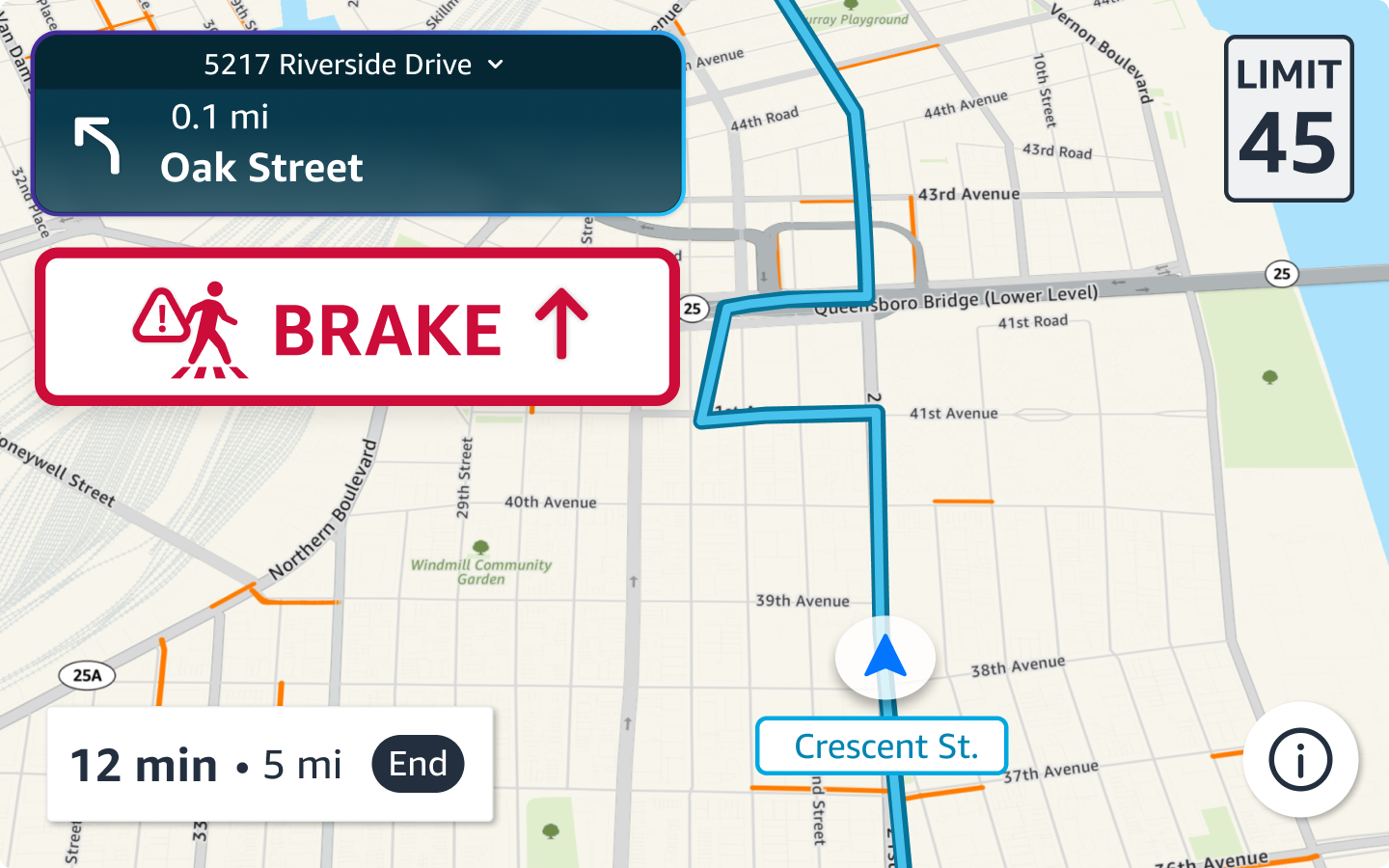
Direction 1 — text-based pedestrian alert
Direction 2
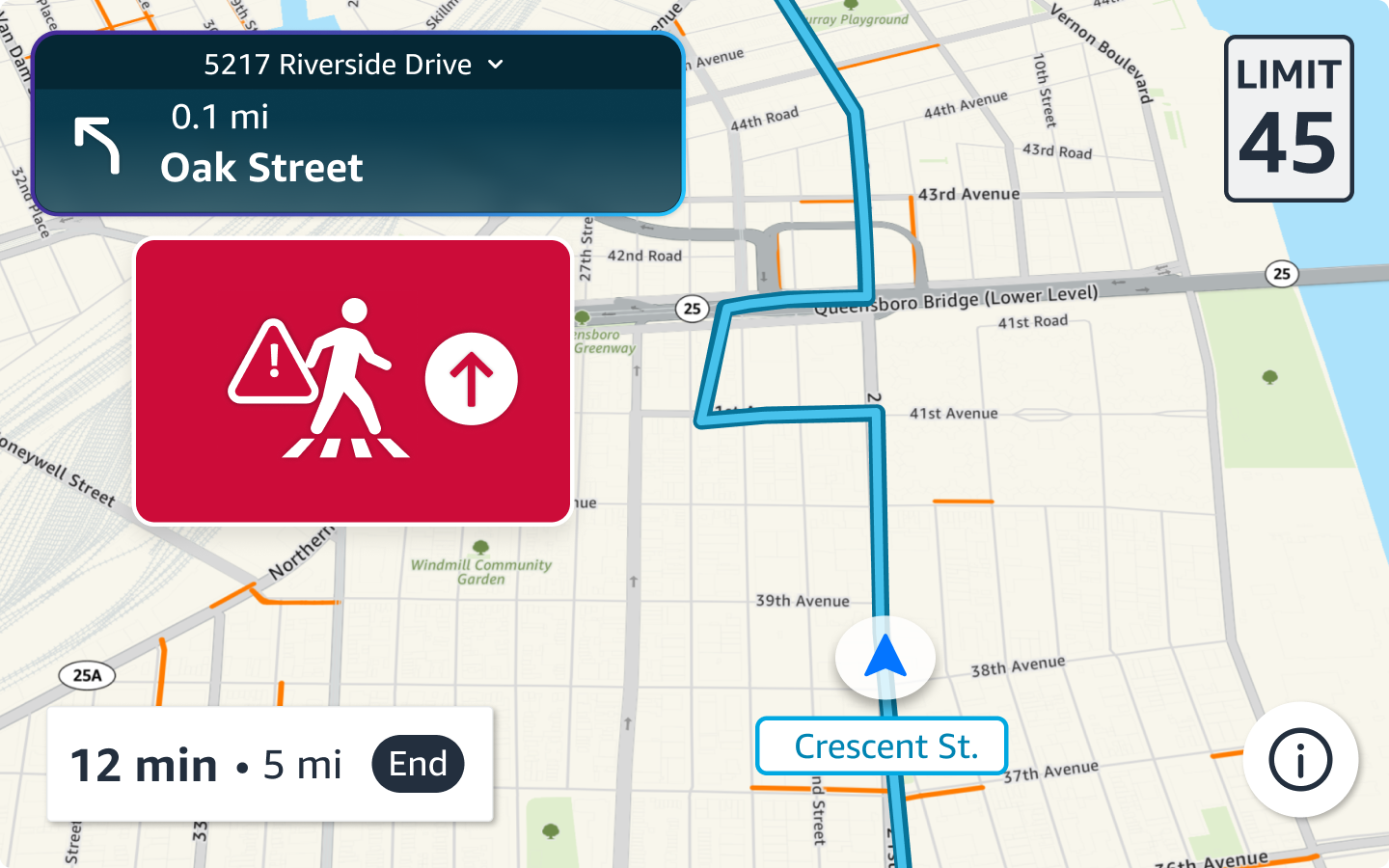
Direction 2 — arrow-based pedestrian alert
Direction 3
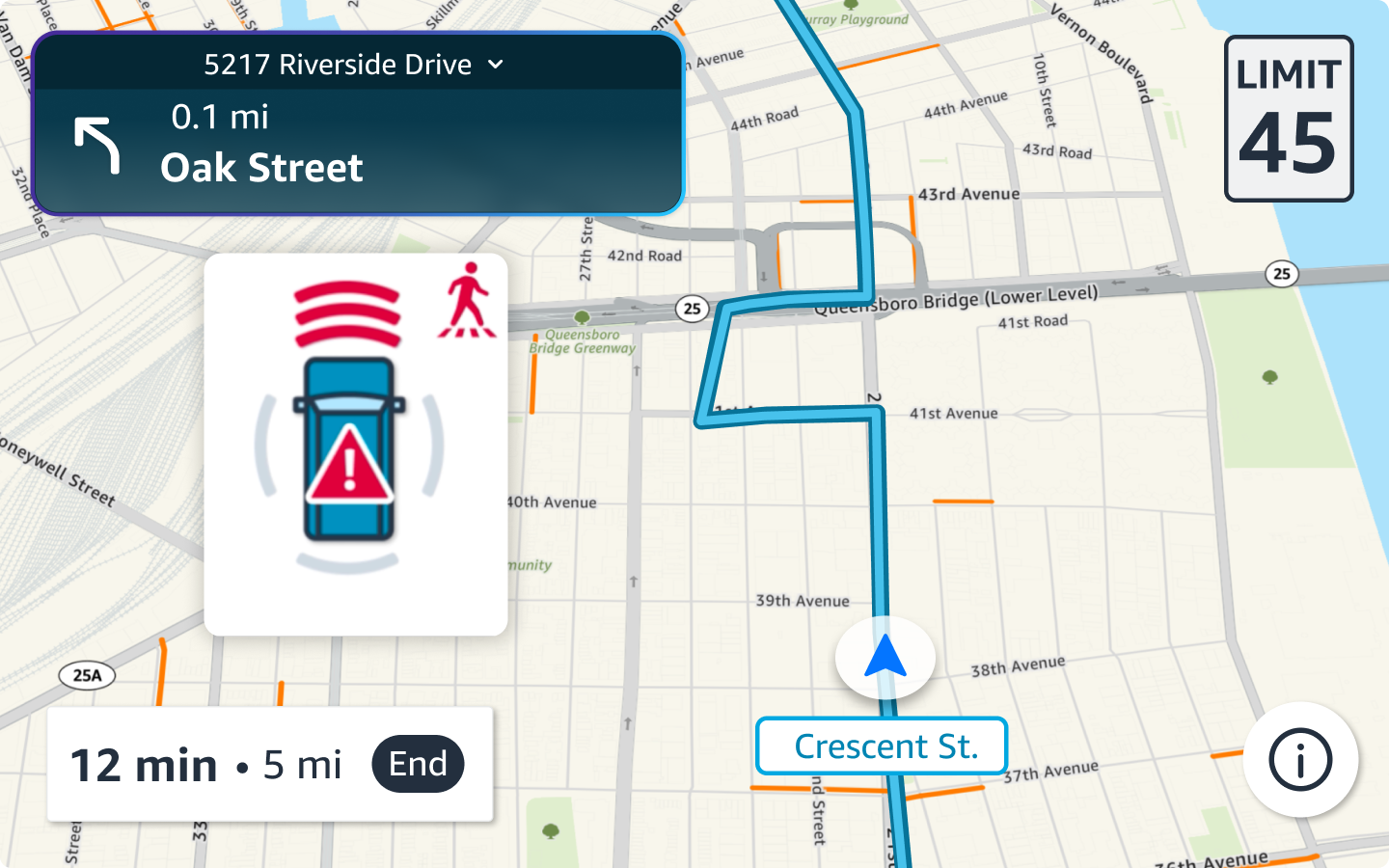
Direction 3 — spatial position pedestrian alert
Text-based alert. Communicated the hazard clearly but reading takes precious time in a crisis — and every string would need translation across the fleet's operating languages, creating spacing and localization problems at scale.
Arrow indicator. Faster to process than text, but research showed some drivers missed it entirely — the directional cue wasn't prominent enough to register in peripheral vision.
Spatial positioning. Showing the hazard's location relative to the vehicle was universally understood — no reading, no interpretation. This direction received strongly positive feedback from every research participant.

A simulator that replaced the need for physical vehicles

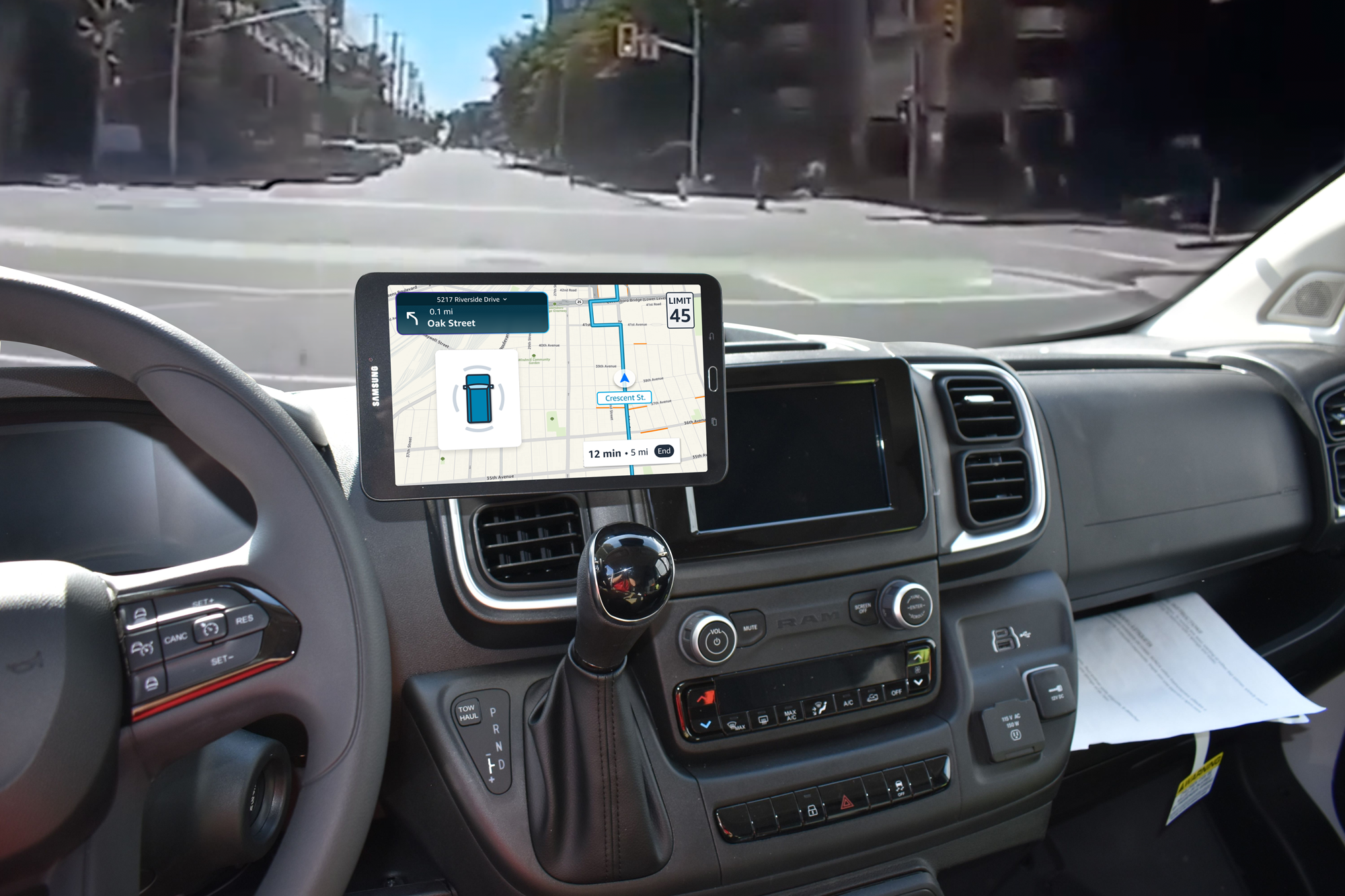
I built a web-based simulator that renders the full Rivian dashboard interior with real-time alert overlays. This enabled remote A/B testing of visual treatments, timing, and audio patterns — without requiring vehicles or controlled road tests.

Driver POV — clear road
Tap to trigger alert

The simulator became a reusable tool for the safety team, enabling rapid iteration on new alert scenarios long after this project shipped.

“This is great and I get it right away. It can be super hard to see bikes & people, especially at night, so I feel way better with this thing.” Steve J. — Delivery Associate, 2.5 years

A three-tier alert framework calibrated to cognitive load

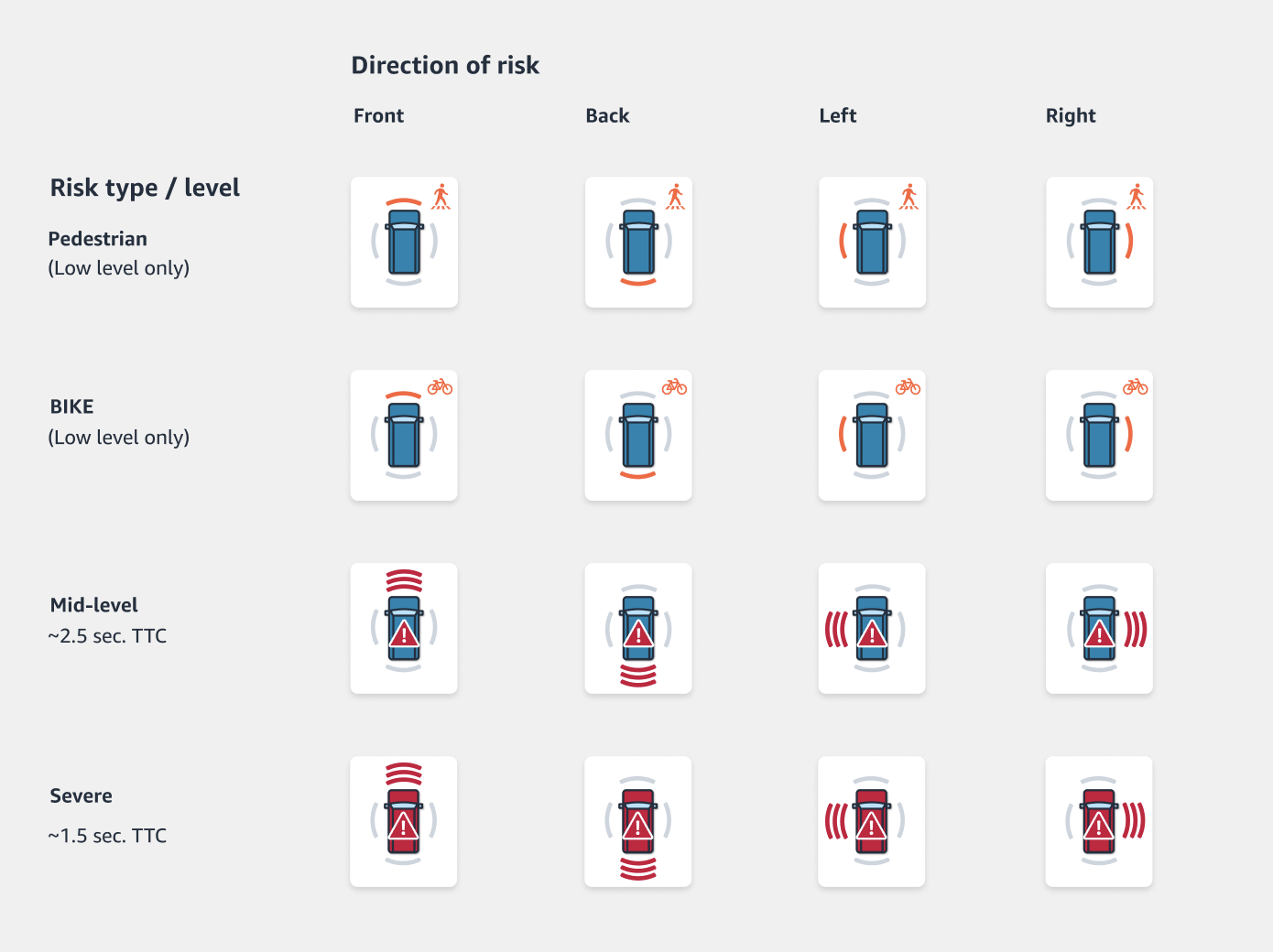
The alert fatigue insight drove everything: alert intensity needed to match what drivers can actually process, not just how dangerous the situation is. I designed a framework with three severity levels — LOW (ambient awareness), MID (active attention), and HIGH (immediate action) — each with distinct visual weight, color treatment, and audio cues.

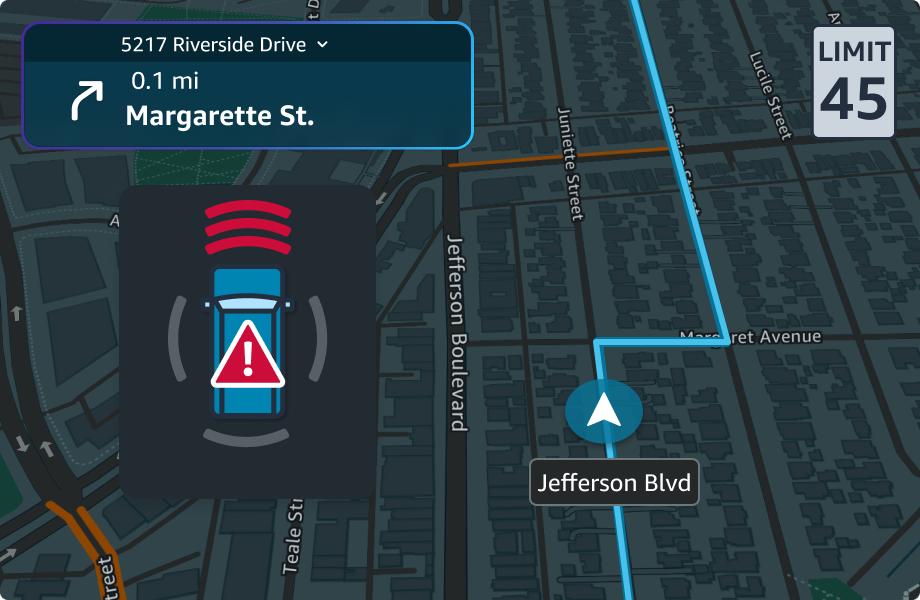
Alerts render on two surfaces simultaneously: the driver cluster for peripheral vision and the center console for detail. Eye-tracking data showed drivers check different screens at different speeds, which drove this split-surface approach.

Final alert states across all scenarios
Each scenario maps to specific sensor inputs and renders in real-time across both surfaces.
Alert placement — light mode

Recommended for fleet-wide pilot

0.8s
Avg. driver response
time to HIGH alerts
97%
Alert comprehension
rate in usability tests
0
Collisions across ~500
vans over 13+ weeks

The framework was recommended for pilot deployment across the delivery fleet. During the 13+ week pilot across ~500 vans, zero collisions were recorded — while driver satisfaction with the alert system scored 4.8/5.

The simulator became a reusable design tool for the safety team, enabling rapid iteration on new alert scenarios without the cost and logistics of physical vehicle testing.

Next Project

Reinventing digital grocery shopping →

Target Digital — Lead Product Designer
[Target grocery app — shopping tab]