Case Study 06

Building visual tools to improve vibe coding

Designed and built the Visual Playground — a markup tool that lets designers give AI-powered design tools the precision that written feedback can't touch.

Role
Designer & Developer
Company
Amazon
Type
Internal Tool
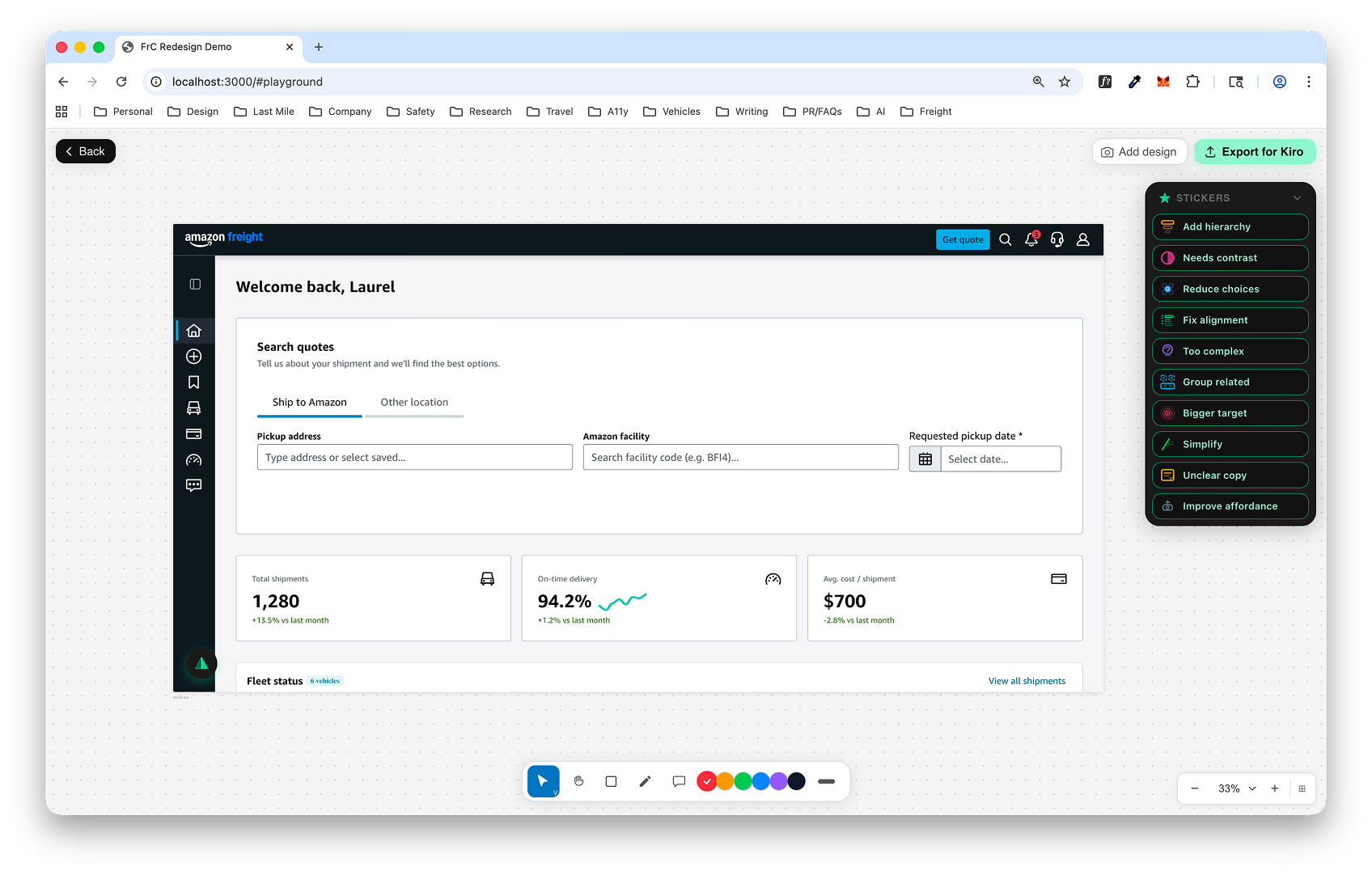
The Visual Playground — a clean canvas with a captured screenshot, ready for markup

The painful gap between seeing a problem and describing it

AI-powered design tools are changing how teams build interfaces, but they share a fundamental limitation: they rely on written instructions. When a designer spots an alignment issue, a contrast problem, or a hierarchy that's off — they have to translate what they see into words. That translation is slow, imprecise, and loses critical context about exactly where and what needs to change.

I wanted to build a tool for my design community at Amazon that closes this gap — something that lets designers point directly at the problem and communicate it visually, with the precision that a marked-up screenshot provides over a paragraph of text.
Building the Visual Playground

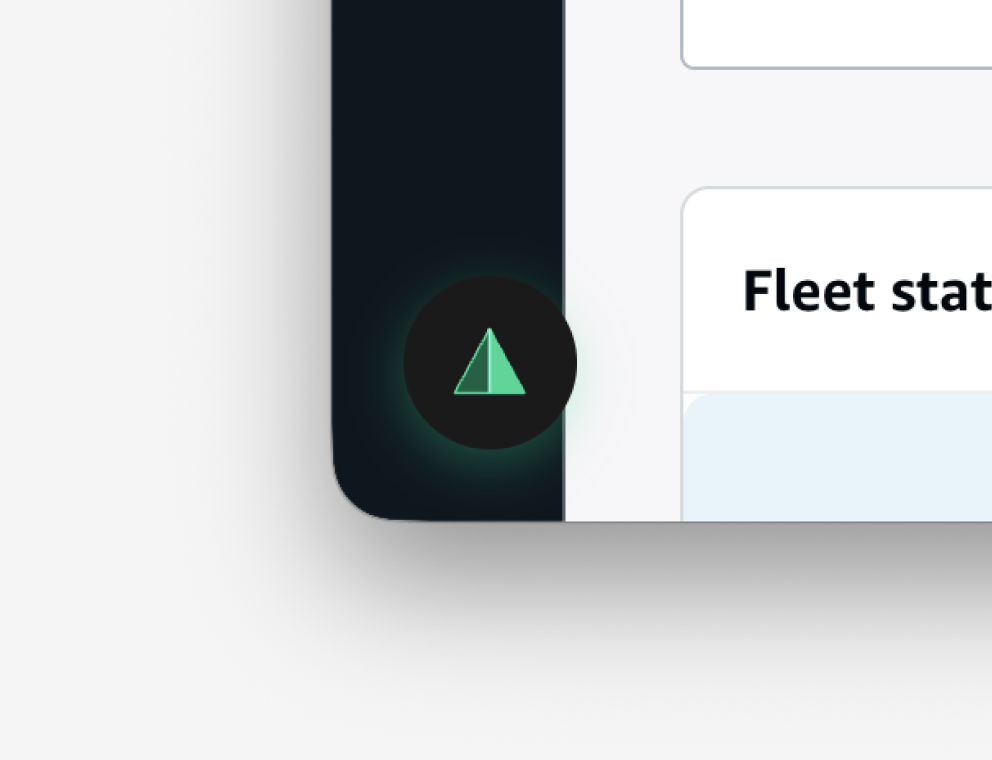
The tool lives behind a green pyramid FAB at the bottom-left of the screen — always available, never in the way. One click opens the Visual Playground: a dedicated canvas where the current screen is captured and centered, ready for markup.

The vibe coded environment
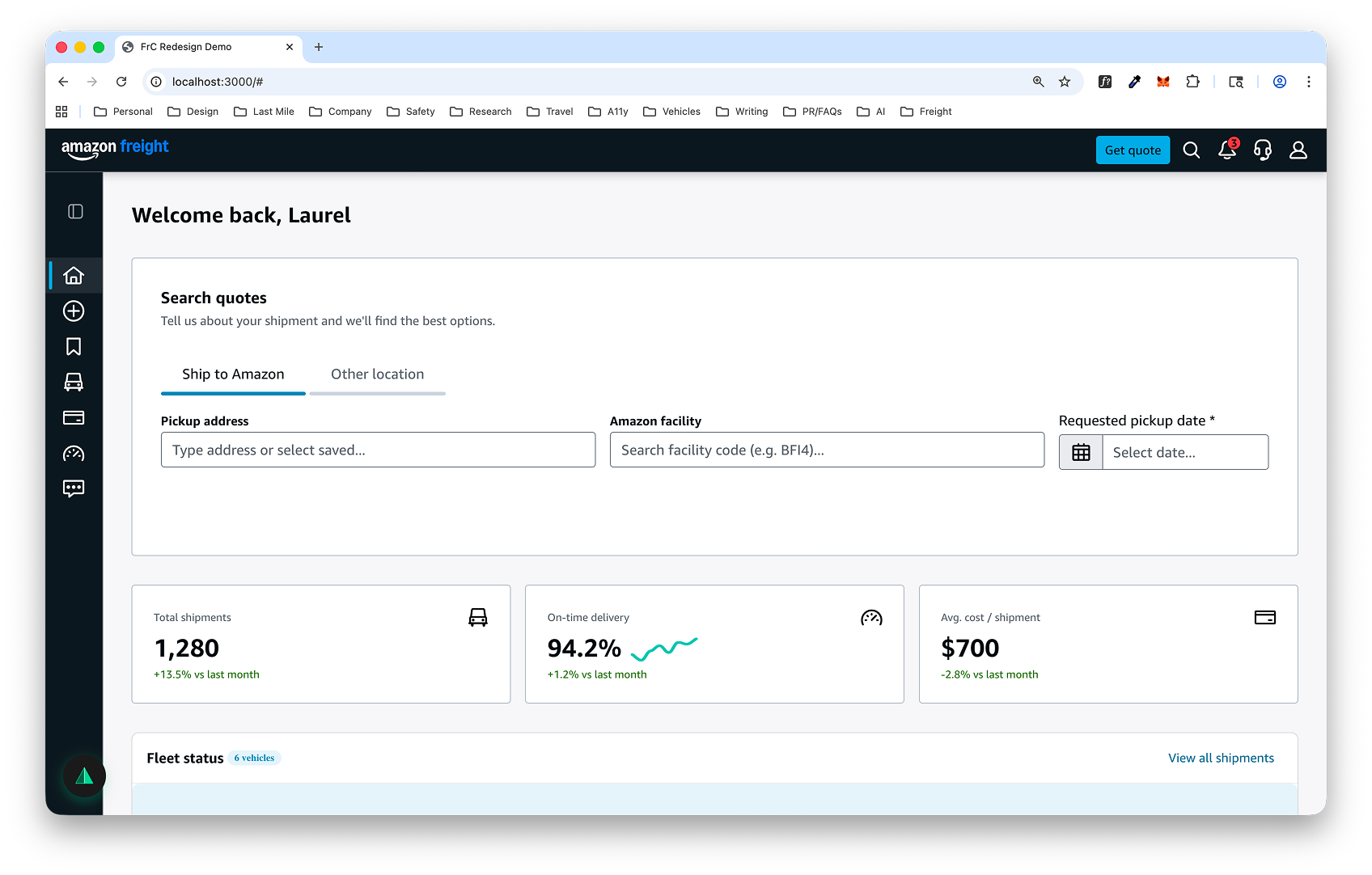
The original Amazon Freight page before markup
A live page in the Amazon Freight prototype — this is what gets captured when a designer enters the playground.
The entry point
The green pyramid floating action button — entry point to the Visual Playground
The green pyramid FAB sits at the bottom-left of every page, giving designers instant access to the playground.

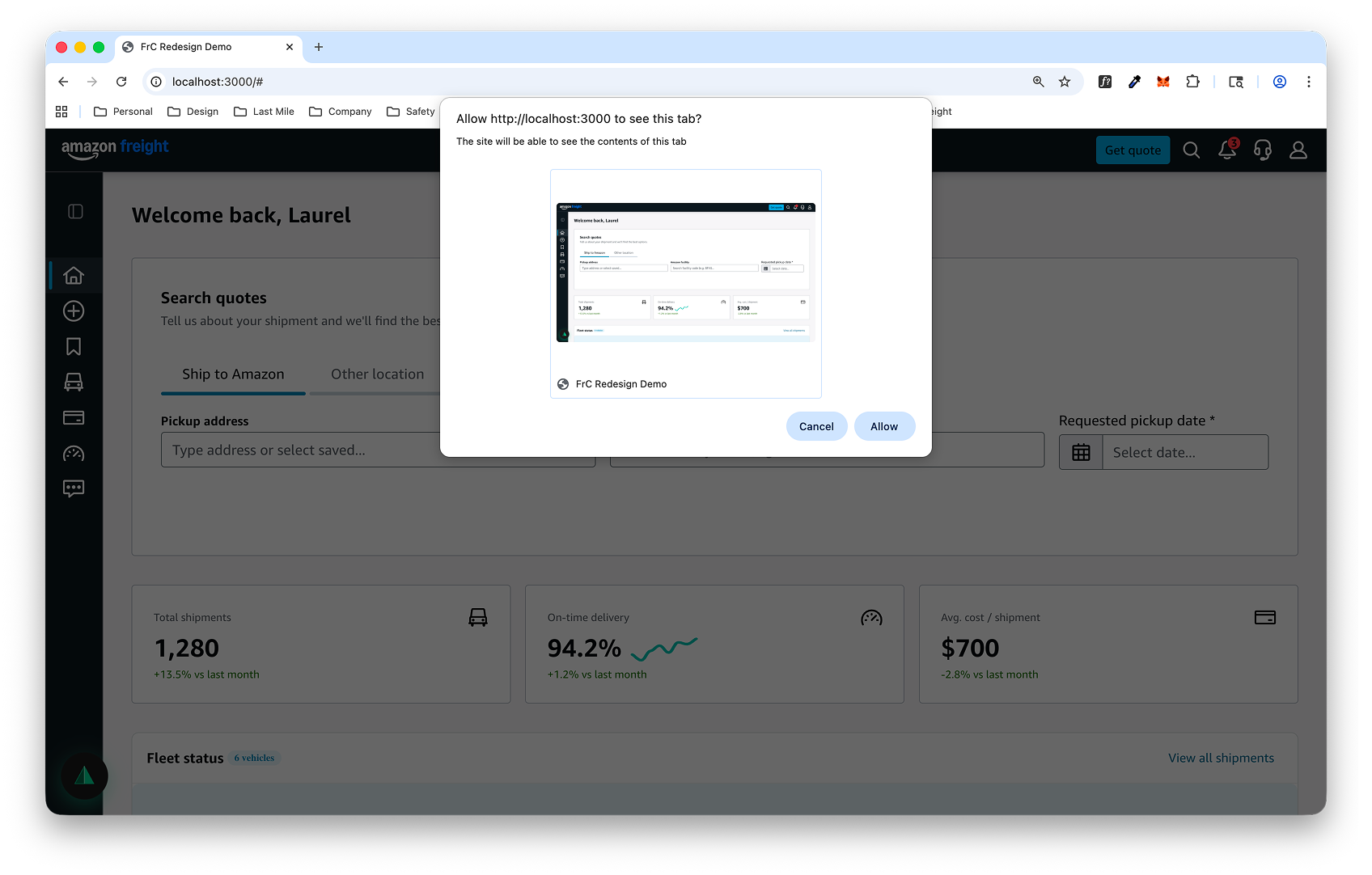
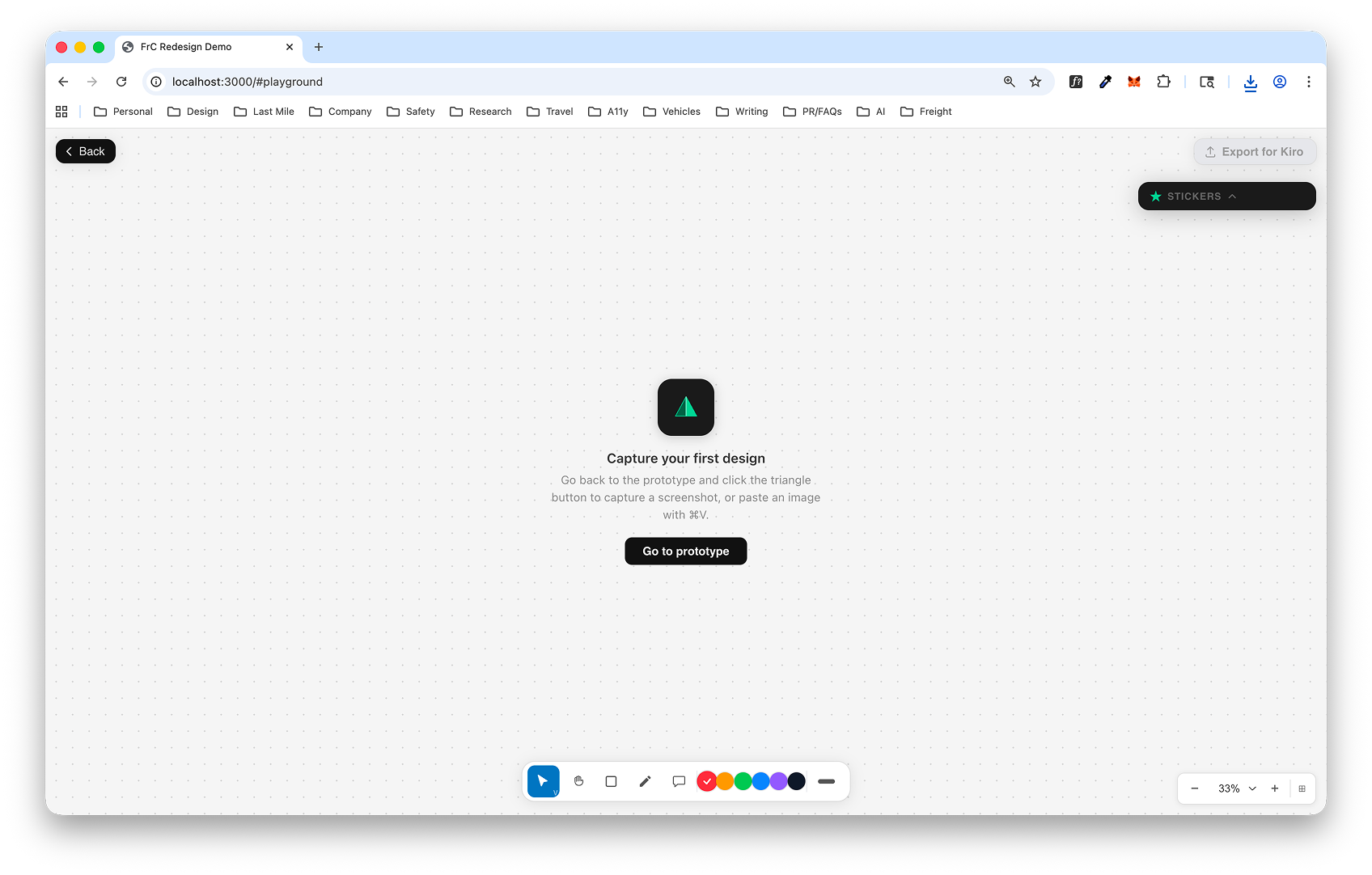
Clicking the FAB opens the Visual Playground in its empty state — a clean canvas with markup tools along the bottom and a sticker panel on the right. From here, the designer captures their current tab. The browser asks for permission, the page is grabbed as a high-fidelity screenshot, and it's loaded onto the canvas — ready for markup.

The empty playground
Empty playground state with capture prompt and tools
The empty state. Tools line the bottom, sticker panel on the right — waiting for a screenshot to work with.
Screen capture
Browser permission dialog requesting tab capture
The browser permission dialog — one click and the current tab is captured.
Screenshot captured
The Visual Playground with a captured screenshot loaded, ready for markup
The captured screenshot is loaded onto the canvas — everything is in place before a single annotation is made.

Annotation tools built for design feedback

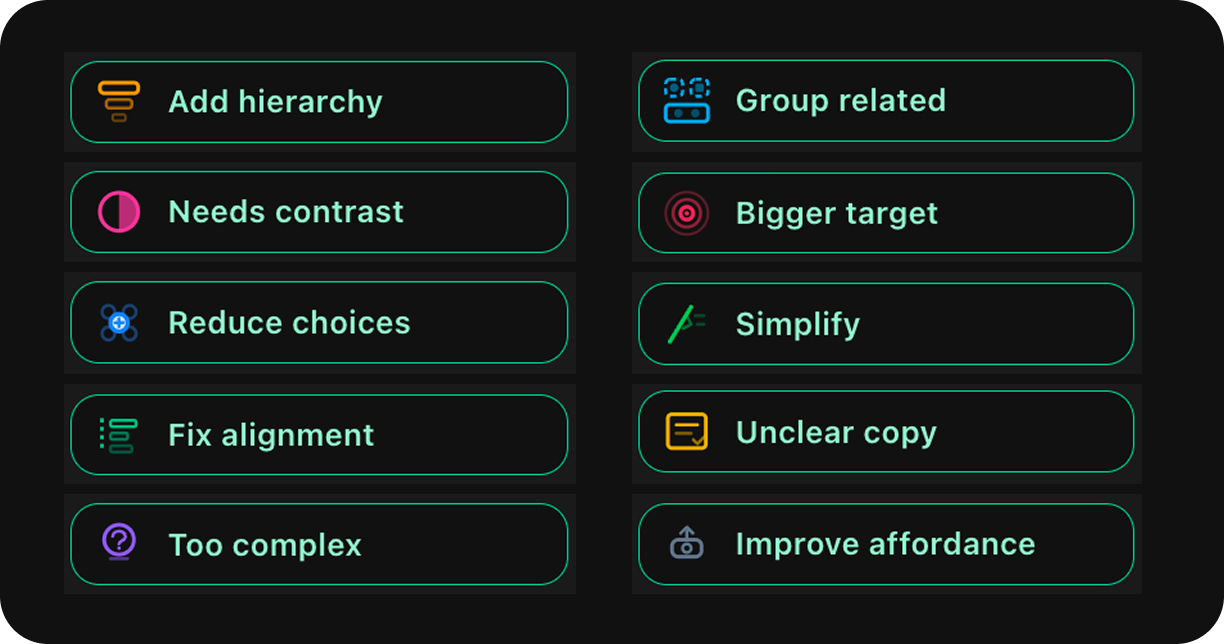
The bottom toolbar offers drawing, annotation, and highlighting tools. But the real accelerator is the sticker panel: pre-built tags for common design issues that designers can drag directly onto elements. The stickers do double duty — they speed up feedback, and they act as a checklist that helps designers remember the full vocabulary of design principles while reviewing their work.

Sticker panel with 10 pre-built design feedback tags
Ten stickers covering the most common design feedback — from "Fix alignment" to "Improve affordance." Drag, drop, and annotate.
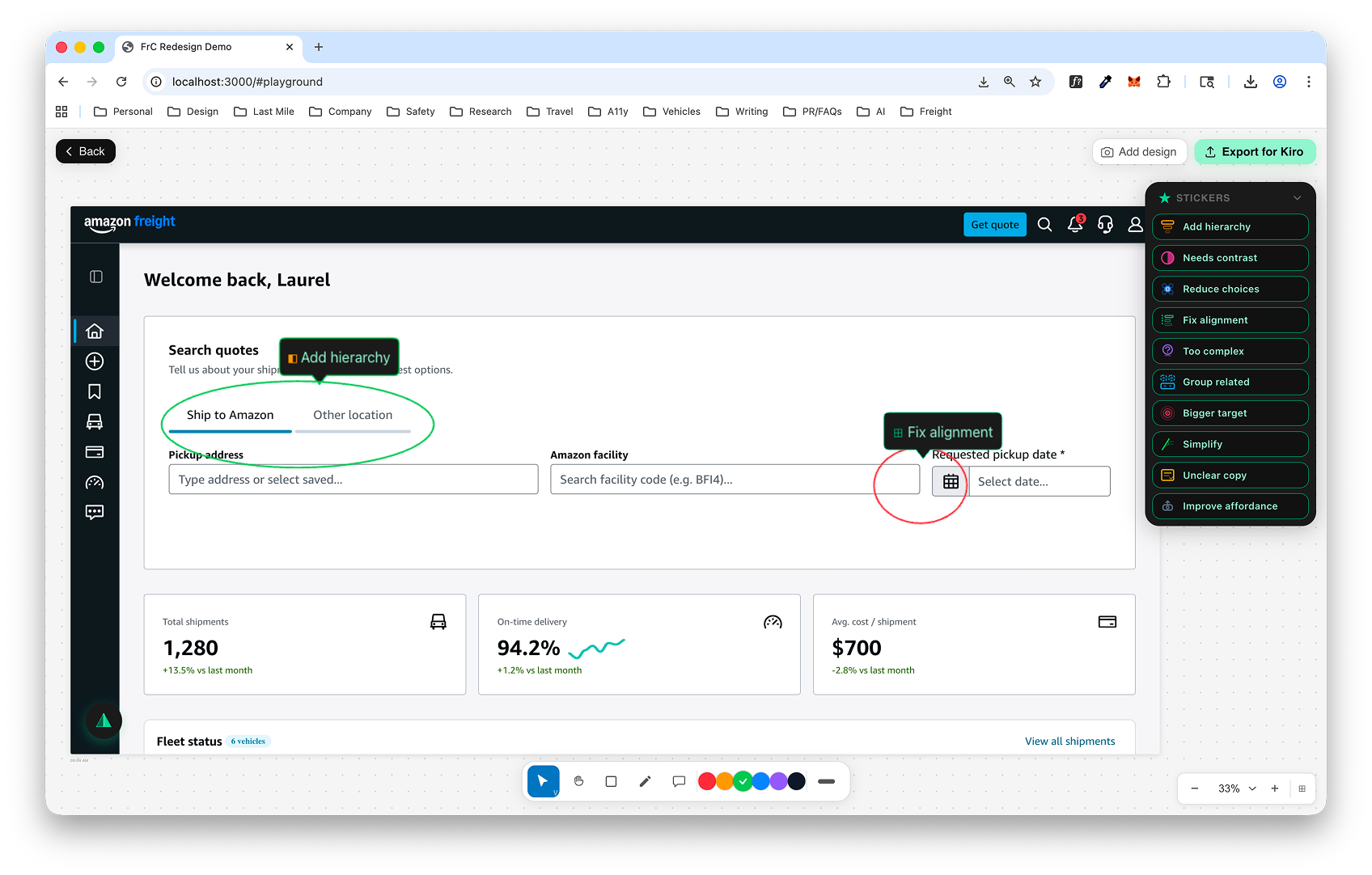
A fully marked-up page with annotations, stickers, and comments
A page marked up with annotations, sticker tags, and specific comments — all placed directly on the elements that need attention.

One click from feedback to action

The final step is "Export to Kiro." One click generates a structured markdown file paired with the annotated visual and drops both directly into Kiro — Amazon's AI-powered design tool. No copy-pasting, no reformatting, no switching contexts. The designer's visual feedback arrives exactly as they created it, ready to be acted on without additional work.

The tool was built for Amazon's design community but designed to be used by anyone — designers, PMs, engineers — anyone who needs to give precise visual feedback to an AI tool.

A marked-up screenshot gives AI tools a degree of precision that written feedback can't touch.

Closing the feedback loop

The Visual Playground is a working prototype built for Amazon's design community. By combining visual markup with structured export, it eliminates the lossy translation between what a designer sees and what an AI tool receives — turning a paragraph of imprecise instructions into a precise, annotated visual.

The tool demonstrates a broader principle: as AI takes on more of the execution work in design, the feedback layer becomes the critical interface. The designers who can communicate precisely — visually, not just verbally — will get dramatically better results from their tools.

Next Project